
The greatest site
  • Home
  • About
Sign in Subscribe

Siddhant

Quick‑Fix: Resolve “Wi‑Fi Keeps Disconnecting” in Under 3 Minutes 🚀

Quick‑Fix: Resolve “Wi‑Fi Keeps Disconnecting” in Under 3 Minutes 🚀

If your Wi‑Fi drops every few minutes, you don’t need to reinstall the router. What you’ll need – a keyboard, a mouse, and administrator rights on the computer. Steps 1. Forget the network * Windows → Settings → Network & Internet → Wi‑Fi → Manage known networks → select your SSID → Forget. * macOS
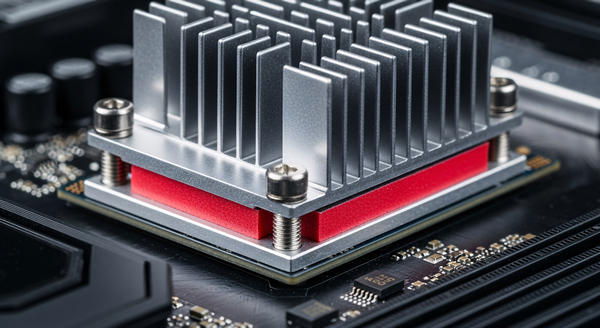
Fast‑Track Your PC’s Longevity: The 5‑Minute Weekly Power‑Up Routine 🚀

Fast‑Track Your PC’s Longevity: The 5‑Minute Weekly Power‑Up Routine 🚀

If you can spare 5 minutes a week, you’ll save hours of frustration later. Keeping your computer humming isn’t about massive overhauls – it’s about a quick, repeatable checklist that catches the little things before they become big problems. No downloads, no restarts (except the occasional update reboot)

Your Computer is Fast Again Now Keep It That Way: The 5-Minute Daily Maintenance Routine

Your Computer is Fast Again Now Keep It That Way: The 5-Minute Daily Maintenance Routine

Remember that quick lag fix we shared? If you followed those steps, your computer is running smoothly. Now let's keep it that way. Think of this routine like making your bed—boring, but it prevents problems before they start. No more lost work or panic restarts. 🕐 The 3-Minute

Computer Lagging? Fix It in 2 Minutes Without Restarting (Save Your Work First!)

Computer Lagging? Fix It in 2 Minutes Without Restarting (Save Your Work First!)

Quick Tech Fix Friday: Computer Lagging? Don’t Panic—Here’s Your 2-Minute Rescue Plan! 😰➡️😎 Hey friends! I’m Sid, your go-to helpdesk buddy who’s saved 1000+ “My PC is dying!” moments in the last 3 years. From frozen screens to endless spinning wheels—no tech drama is too

The greatest site
  • Sign up
Powered by Ghost

The greatest site

Thoughts, stories and ideas.